


Design Sessions
4.928.00 Reviews
App Specs
- Version
- 10.200.1
- Updated On
- License
- Free
- Downloads
- 10,000+
- Developer
- Kinwoven
- Categories
- Art & Design
- Platform
- Android
Screenshots

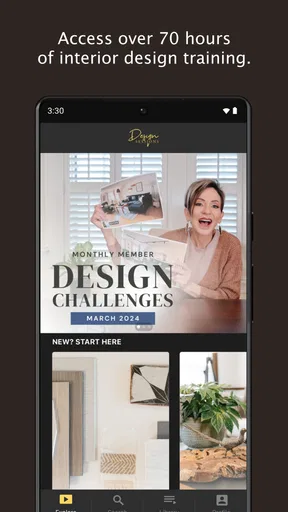
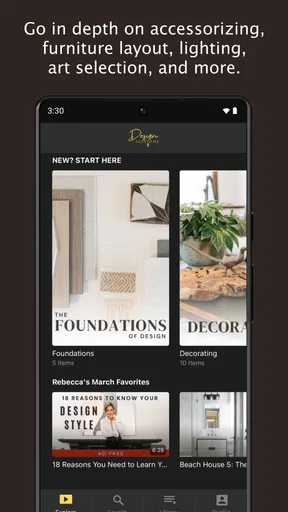
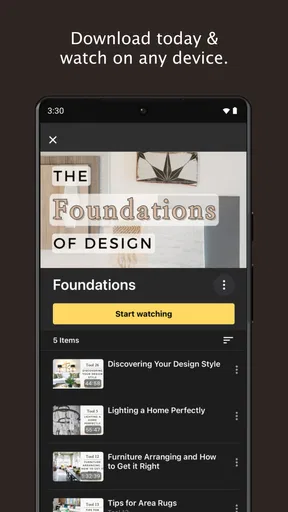

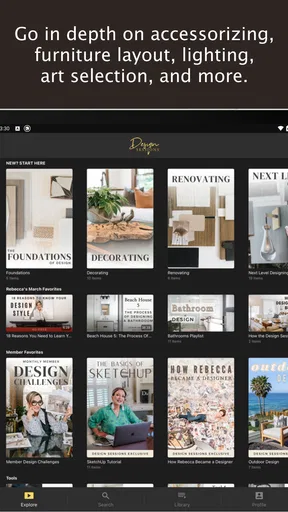
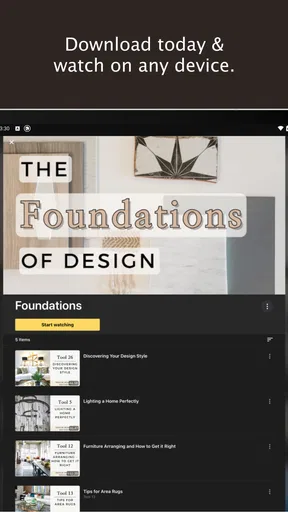
 Analysis by AppCompare
When I tried Design Sessions, I approached it less like a traditional drawing tool and more like a guided way to think about a home. Its central promise is simple: helping you make your home beautiful, but the useful part is how that idea can turn an uncertain decorating decision into a more focused creative exercise. Instead of opening a blank canvas and wondering where to begin, I found myself considering a room, a mood, and the choices that would make the space feel more intentional.
That makes this free Art & Design app from Kinwoven interesting for people who enjoy interior styling but do not necessarily have design training. It is aimed at everyday decisions rather than professional architectural work. I would not treat it as a replacement for a full floor-planning program, a precise measuring tool, or a specialist 3D renderer. Its value is more personal: it helps you develop a direction before you spend money, move furniture, or commit to a color.
How the guided design capability changes the way you plan a room
The most important capability here is the session-based approach. A guided design session gives the decorating process a beginning and a sense of purpose. That matters because many home projects fail at the very first step: people collect attractive ideas without deciding what problem they are solving. A room may look pleasant in separate photos, yet still feel disjointed when those ideas are brought together.
I found the format especially useful when I had several competing instincts. One part of me might want a calmer, lighter room, while another might be drawn to stronger color or more decorative detail. A session encourages me to slow down and decide what I want the room to do for me. Is it meant to feel restful after work, work harder for family life, welcome guests, or simply become less cluttered? That question is more valuable than immediately choosing another cushion or wall color.
The real strength is direction, not technical precision. Design Sessions works best when you need help making choices in the right order. It can give a decorating project an emotional and visual focus, which is often what ordinary inspiration boards lack. A board can show you hundreds of attractive rooms; a guided process can help you understand why one atmosphere suits your own daily life better than another.
That distinction also explains why I would not compare it directly with every other design app. Many alternatives concentrate on measurements, furniture placement, paint previews, or photorealistic room mockups. Those tools are valuable when you already know what you want to test. This app is more useful earlier, when the question is still, “What kind of room am I actually trying to create?”
Using a session before buying anything
My preferred workflow is to use the app before browsing shops. Starting with products makes it easy to build a room around isolated purchases. Starting with a design session changes the order: first define the feeling and practical purpose, then identify the visual elements that support it, and only afterward consider specific items. That sequence can prevent the familiar mistake of buying something attractive that has no real relationship to the rest of the room.
Worth Reading Before You Choose

EA SPORTS FC Mobile 26 Is a Bigger Football Game, but It Takes Time

Flipboard Shows What News Apps Must Do Beyond the Feed

Switching to Android Auto Means Rethinking Your Driving Routine

Google Calendar Makes a Crowded Week Easier to Manage

Ludo King Makes the Most of the Minutes Between Plans

Baby Panda World Brings Quick Play to Modern Phones, but Its Game Library Feels Busy
I also think the session format is helpful for couples or housemates. Decorating disagreements often sound like arguments about color or style, but they are frequently disagreements about priorities. One person wants comfort, another wants tidiness, and someone else wants the room to express personality. Discussing the intended experience of the space creates a more useful conversation than trading isolated screenshots from social media.
For renters, the same capability can be adapted to decisions that do not involve permanent changes. A session can help establish a palette, lighting mood, textile direction, and furniture arrangement without assuming that walls can be altered. That makes the process more realistic than advice built around major renovations. I would still check every idea against the actual restrictions of a rental, but the app can help you create a coherent plan within those limits.
What the experience feels like in everyday use
I approached the app in short periods rather than expecting to complete an entire home in one sitting. That felt natural. A room often becomes clearer after you live with the question for a while. I might think about the entryway in the morning, notice where clutter gathers during the day, and return later with a better sense of what needs to change. The session structure supports that reflective pace better than a tool that demands immediate technical input.
A realistic example would be a living room that feels untidy even though it is not especially full. Instead of buying storage at random, I would use a session to identify the intended character of the room and the behaviors that currently undermine it. If the space needs to support reading, conversation, and quick evening resets, then the design should account for those activities. The result may be a calmer arrangement, fewer competing visual elements, and more deliberate placement of useful objects. The app’s benefit in that situation is not that it magically solves the room; it helps me frame the problem correctly.
Another practical use is preparing for a small refresh before visitors arrive. I would not expect a guided design experience to replace cleaning, repairs, or accurate measurements. However, it can help me decide where a limited effort will have the greatest effect. Rather than spreading attention across every corner, I can choose one visible area, settle on a consistent mood, and avoid introducing last-minute pieces that make the room feel more confused.
The same approach works for a bedroom, although the questions change. A bedroom should support rest, storage, and a sense of privacy, so a visually exciting idea may not be the best choice. This is where the app’s reflective angle becomes more useful than simply browsing dramatic room images. I can judge a style by how it might feel every evening, not only by how impressive it looks in a single photograph.
Small habits that make the guidance more useful
I recommend entering a session with one room and one decision in mind. “Improve the whole home” is too broad to produce useful thinking. “Make the living room feel calmer without losing warmth” is much easier to act on. Narrowing the question also makes it easier to notice whether a suggestion is genuinely relevant or merely attractive.
A second useful habit is separating fixed elements from flexible ones. Floors, windows, built-in storage, and large furniture may already determine much of the room’s character. Accessories, textiles, lighting choices, and arrangement may be easier to change. Keeping those groups separate prevents an unrealistic plan from taking over. I can use the session to establish a direction while recognizing that some parts of the room are not negotiable.
I also like to pause before treating inspiration as instruction. A design idea may look balanced in a curated setting but feel impractical in a busy household. If a room needs to withstand pets, children, frequent guests, or home working, those facts should influence the final decision. The app can encourage the creative conversation, but I still need to apply common sense to materials, maintenance, circulation, and budget.
One less obvious benefit is that this process can reveal when the problem is not decoration at all. If a room feels uncomfortable because the lighting is harsh, the walkway is blocked, or everyday items have no convenient home, adding more style may only hide the issue temporarily. A good session can expose that distinction. Sometimes the most attractive improvement is a practical correction rather than a new visual layer.
Where it differs from the usual alternatives
Compared with a digital mood board, Design Sessions gives me a more deliberate starting point. Mood boards are excellent for collecting references, but they can become a pile of disconnected preferences. I may save a minimalist kitchen, a colorful bedroom, and a rustic sitting room without understanding what links them. A guided session pushes me to translate inspiration into a room-specific intention.
Compared with a room planner, it is less about exact placement. A planner is the better choice when I need to verify whether a sofa fits, test walking space, or compare furniture dimensions. I would use that kind of tool after establishing the overall direction. Trying to use a reflective design app for precise planning would be frustrating because the two tools solve different problems.
Compared with a visualizer that changes wall colors or finishes in a photograph, this app is less immediate but potentially more thoughtful. A visualizer can answer, “How might this surface look here?” It does not necessarily answer, “Will this choice make the room work better for the people who use it?” Design Sessions is strongest before that visual testing stage, when the broader decision still needs structure.
It also differs from simply following social media creators. Online inspiration can be energizing, but it often rewards novelty and polished presentation. A guided session gives me a chance to filter those ideas through my own habits. I can admire a dramatic room without assuming that it belongs in my home. That filtering step is important for avoiding expensive impulse decisions.
Tradeoffs, limitations, and the cost question
The app is free to download and use as an entry point, which makes it easy to try without committing money immediately. There are in-app purchases ranging from $14.99 to $147.99 per item, so I would pay attention to what is available without payment before building an entire planning routine around it. The free starting point is appealing, but the possible purchase range means the overall value depends on how much of the experience you want to access.
I would also keep expectations realistic about the role of inspiration. A guided design process can help me choose a direction, but it cannot inspect the room in person, measure every awkward corner, confirm product quality, or guarantee that a particular arrangement will work. Anyone planning a significant renovation still needs accurate measurements and, where appropriate, advice from a qualified professional. This app belongs near the beginning of that process, not at the point where technical decisions are finalized.
Another tradeoff is that reflective guidance may feel slower than scrolling through ready-made room templates. If I want an instant visual makeover, I may prefer a tool that lets me upload a photo and apply changes immediately. Design Sessions asks me to think. That is a strength when I am indecisive, but it may feel like extra effort when I already have a clear plan and only need to check a color or layout.
The experience is also most rewarding for users willing to make choices. No design app can remove the need to decide what matters. If I keep every option open, the process becomes another form of browsing. The best results come from accepting that a room cannot express every style at once. I need to choose a priority, test it against daily life, and let some appealing alternatives go.
Kinwoven’s app feels approachable because it treats home design as something ordinary people can explore, rather than a specialist language reserved for professionals. Still, that accessibility should not be confused with universal suitability. A professional designer will offer site-specific judgment, construction knowledge, and a level of customization that a general consumer app cannot replace. Someone who only needs a shopping list may also find this broader approach unnecessary.
Who will get the most from the experience
I would recommend Design Sessions to a first-time decorator who has plenty of ideas but no clear plan. It is also a good fit for someone moving into a new home and trying to avoid furnishing every room in a rush. The session format can create a pause between moving in and spending money, which is often exactly what a new space needs.
It should appeal to people who enjoy creative reflection, including users who prefer making decisions through mood and purpose rather than measurements alone. If you are trying to create a home that feels personal instead of copied from a single trend, the app’s emphasis is relevant. It can also help a household discuss a shared direction before disagreements become a list of individual purchases.
I would be more cautious about recommending it to a user who expects professional-level plans, exact dimensions, construction guidance, or instant augmented-reality previews. In those cases, a dedicated planning or visualization tool will be a better match. I would also skip it if I only want a quick catalog of products. This app is about shaping an idea, not merely selecting an item.
From a compatibility standpoint, the Android release requires version 8.0 or later, and its Everyone age classification makes it broadly accessible. It was released on August 17, 2021, and the current version is 10.200.1. The app has passed the early-discovery stage with over ten thousand installs, while its average rating is 4.9 from more than a hundred ratings and twenty-eight reviews. Those figures suggest a small but notably positive audience, though I would still judge it by whether its guided approach suits the way I make design decisions.
My recommendation after using it as a planning companion
What I like most about Design Sessions is that it addresses the part of decorating people often skip: deciding what the room should mean before choosing how it should look. That makes its central capability more valuable than the short store summary might suggest. It is not simply another place to collect attractive interiors; it can help turn vague taste into a practical direction.
I would use it at the start of a room project, especially when I feel tempted to buy something just because it looks good on its own. I would follow the session with measurements, a realistic budget, and a check against the room’s actual demands. Used that way, it complements rather than competes with planners, visualizers, and shopping tools.
My final view is positive, with a clear qualification: this is best for finding clarity, not for completing every technical stage of a redesign. If you want a calmer way to decide what your home should feel like, the free entry point makes it worth exploring. If you already know the style and need exact layouts or construction-ready information, choose a more specialized alternative. For everyone in between, Design Sessions offers a useful pause between inspiration and action—and that pause can lead to better decisions.
Pros
- Clear session-based layout keeps design projects organized.
- Useful for planning concepts
- critiques
- and creative workshops.
- Simple interface is approachable for beginners and small teams.
- Session notes can help preserve decisions and follow-up tasks.
- Focused workflow avoids unnecessary project-management distractions.
Cons
- May feel too limited for complex
- multi-stage design projects.
- Collaboration features may not match those of larger team platforms.
- Requires consistent input to keep session information useful.
- Export and integration options may be limited for professional workflows.
- New users may need time to understand the session structure.
FAQs for Design Sessions
What is Design Sessions, and who is it intended for?
Design Sessions is an app focused on helping users organize, explore, and participate in creative design activities or learning sessions. It may be useful for students, beginners, professionals, and anyone interested in improving their visual design skills. Before downloading, users should check the current app description because available session types, supported design fields, and target audiences may vary between versions.
What features does Design Sessions offer?
The app generally centers on structured design sessions, creative exercises, educational content, or collaborative activities. Depending on the version, it may include session schedules, project prompts, progress tracking, saved content, and resources for practicing design concepts. I recommend reviewing the latest screenshots and feature list before installing, since some tools may require an account, an internet connection, or access to a paid plan.
Is Design Sessions free to download and use?
Design Sessions may be available as a free download, but the complete experience can depend on the app’s pricing model. Certain sessions, premium resources, advanced features, or exclusive content may require in-app purchases or a subscription. Users should carefully review the store listing for current prices, trial conditions, renewal details, and cancellation instructions before entering payment information.
Does Design Sessions require an internet connection or user account?
An internet connection may be necessary to download sessions, synchronize progress, access updated content, or participate in collaborative and online activities. Some features could also require registration through an email address or another supported sign-in method. Offline availability may be limited, so users who plan to work while traveling should confirm whether sessions and saved materials can be accessed without an active connection.
Is Design Sessions suitable for beginners, and what should I check before downloading?
Design Sessions can be suitable for beginners if its sessions provide clear instructions, practical examples, and a gradual learning structure. However, users should check whether the app focuses on their preferred area, such as graphic design, user interface design, illustration, or another discipline. It is also important to review device compatibility, privacy permissions, subscription terms, and recent user feedback before downloading.


